 Arcadópolis
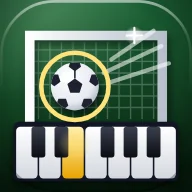 Piano Football
Piano Football: a free game to learn piano
Piano Football is a free game to learn piano by playing goalkeeper. Every shot is a note of a song: the ball flies toward its key’s ring and fills it right on the beat. Play that note at that moment and you save it and the melody plays; miss it and it’s a goal.
It runs in your browser with nothing to download, with a real MIDI keyboard, your computer’s keyboard or the on-screen piano. It comes with ten public-domain songs, five training drills and the option to load your own MIDI files. The tempo goes from 50% to 150%, so it works for beginners and for people who already play.
It’s one of the 51 games in the Arcadópolis Games folder.
Free, no ads, nothing to install.
Install Piano Football on its own on your home screen

What it has
- A 32-note keyboard, from C2 to G4: 19 white keys and 13 black keys.
- A MIDI keyboard, your computer’s keyboard (two rows cover all 32 notes) or the touch screen.
- Your saves play the song with the game’s sound; goals leave a gap where their note was.
- Ten public-domain songs and five training drills: five fingers, scale, left hand, black keys and the whole keyboard.
- Load your own MIDI files: the game takes the melody and fits it to the 32 keys.
- Tempo from 50% to 150%, note names, keyboard letters and a metronome.
How to play
- Open the Games folder and tap Piano Football.
- Pick a song or a training drill, and lower the tempo if it’s your first time.
- Tap “Play”: there’s a four-beat count-in and the striker starts shooting.
- Play each ball’s note when it fills its key’s ring. At the end you’ll see your saves, your best streak and your stars.
The songs
Twinkle, Twinkle, Little Star, Frère Jacques, Ode to Joy, London Bridge, Jingle Bells, Amazing Grace, Greensleeves, In the Hall of the Mountain King, Für Elise and the Turkish March. All of them are public-domain melodies, written note by note and fitted to the keyboard by octaves. “Listen” plays the song at the chosen tempo and lights up its keys, so you can learn it before you play.
How points work
A perfect save (within 75 thousandths of a second) is worth 100 points and a good one (within 160) is worth 60. A streak of saves in a row gives up to double points, and playing another note while a shot is coming breaks it, so mashing every key doesn’t help. Saving 70, 85 and 95% earns one, two or three stars, and every song keeps your best score.
Common questions
Do I need a MIDI keyboard?
No. You can play with your computer’s keyboard: the bottom row, from Z to /, goes from C2 to E3, and the top row, from Q to ], from C3 to G4. On a phone or tablet you tap the on-screen keys.
How do I connect my MIDI keyboard?
Plug it in by USB and tap the game’s “MIDI keyboard” button; your browser asks for permission once. It works in browsers that support Web MIDI; if yours doesn’t, play with your computer’s keyboard.
Can I play my own songs?
Yes. With “Load MIDI” you pick a .mid file: the game takes the highest note at each moment as the melody and fits it to the 32 keys. Up to six are kept.
Also in Arcadópolis
 Melody EchoA musical memory game with 19 public-domain melodies; also as an online duel.
 Golden EarEar training: recognize intervals, chords and instruments on three levels, with a keyboard that shows the notes.
 Sing the MelodySing or hum 10 public-domain melodies and see how in tune you were, note by note. Your voice is never recorded.
Arcadópolis has 66 more apps on the same desktop: games, music, a 3D museum and a 3D library.