 Arcadópolis
 Studio
Studio: free apps for making music online
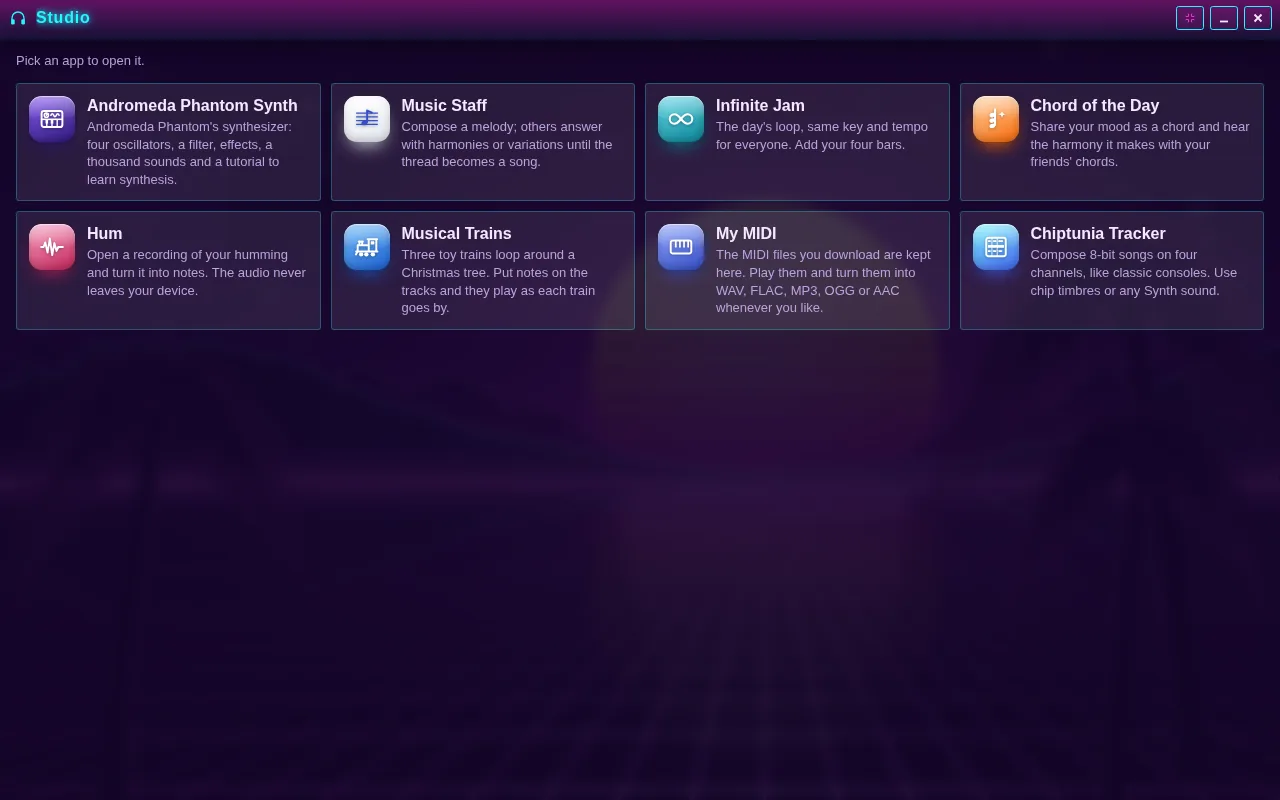
The Studio is the Arcadópolis folder with the music-making apps, free in your browser with nothing to download. It brings eight together: Andromeda Phantom DAW, Chiptunia Tracker, Musical Trains, Music Staff, Infinite Jam, Chord of the Day, Hum and My MIDI.
Some are for composing on your own, from a full song to an 8-bit tune; others are for creating with friends: you share a link and everyone adds their part. You hear everything right away, and it can all be downloaded as MIDI or audio.
The folder is on the Arcadópolis desktop: open it and pick an app.
Free, no ads, nothing to install.
Install Studio on its own on your home screen
What it has
- Andromeda Phantom DAW: a full studio to compose, record and mix, with over a thousand synth sounds.
- Chiptunia Tracker and Musical Trains: 8-bit songs on four channels, and three trains that play the notes on their tracks.
- Music Staff: your melody of up to 16 beats gets answered with harmonies or variations, up to 24 parts per thread.
- Infinite Jam: the day’s loop, in the same key and tempo for everyone; you add four bars.
- Chord of the Day: 12 chord types, each with its own mood, and the harmony they make with your friends’ chords.
- Hum and My MIDI: up to 30 seconds of your voice turned into notes, and room for 60 MIDI songs.
How to use it
- Open the Studio folder from the Arcadópolis desktop.
- Pick an app: each one says in a line what it does.
- Make your part: a song, a pattern, four bars, a chord or a hum.
- Share it with a link or download it; every MIDI file you get with the Download button is kept in My MIDI.
How to make music with friends
In Music Staff you publish a melody and share the thread; whoever opens it replies with a harmony, which plays at the same time note against note, or with a variation, which plays after it. When they send their reply back, you open it and the thread grows into a song. In Infinite Jam everyone plays over the same loop of the day: you write your four bars, one per chord, with melody, bells, bass or harp, and paste your friends’ links to hear them taking turns or all together. In Chord of the Day everyone shares their mood as a chord, and the app measures how many notes they have in common.
From your voice to a song
With Hum you record up to 30 seconds with the microphone or open a voice memo from your phone. The analysis happens on your device, the audio is discarded and the notes stay: you can move them up or down a semitone, snap them to the scale and open them in Music Staff, where your friends can answer them with harmonies. When you like something, the Download button shows the song as a piano roll, plays it and saves it as MIDI or as 48 kHz audio: WAV, FLAC, MP3, OGG or AAC, in Normal or High quality.
Common questions
Is my voice uploaded anywhere?
No. Hum analyzes the audio on your device and discards it as soon as it’s done: only the notes are kept.
Do I need to know music?
No. In Infinite Jam everything you write stays in the day’s scale, in Musical Trains the notes always land in the scale you pick, and in Music Staff you hear each note as you write it, so you can compose by ear.
Can I use what I make in other programs?
Yes. The MIDI file carries the notes, tempo and time signature, so almost any music program can open it, and the audio comes in common formats. My MIDI keeps up to 60 songs and makes the audio again whenever you want.
Also in Arcadópolis
 Andromeda Phantom DAWA complete music studio: multitrack DAW, a synthesizer with over a thousand sounds, drums, theory, a sampler, voice effects and a visualizer.
 Chiptunia TrackerCompose 8-bit songs on four channels, like on classic consoles.
 Musical TrainsNotes on three tracks that the trains play as they pass.
Arcadópolis has 66 more apps on the same desktop: games, music, a 3D museum and a 3D library.